Categories
Organize items into categories to make your catalogue easier to navigate and maintain.

Bring your items and stock position into view with inventory records and valuation summaries.
Explore the details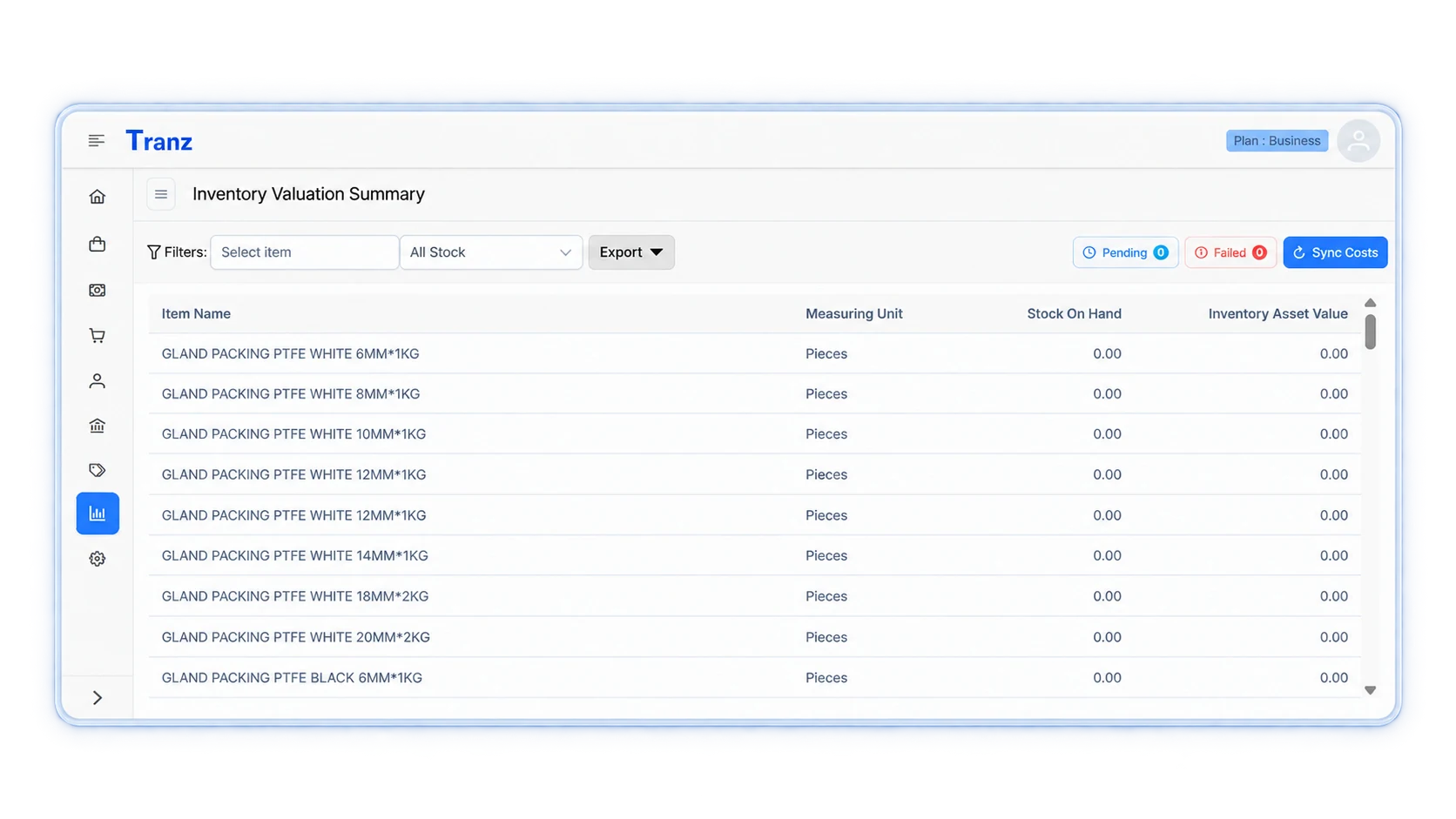
Bring names, codes, quantities and prices into one clear list. Identify the item you need and review its stock position alongside its selling and purchase prices.
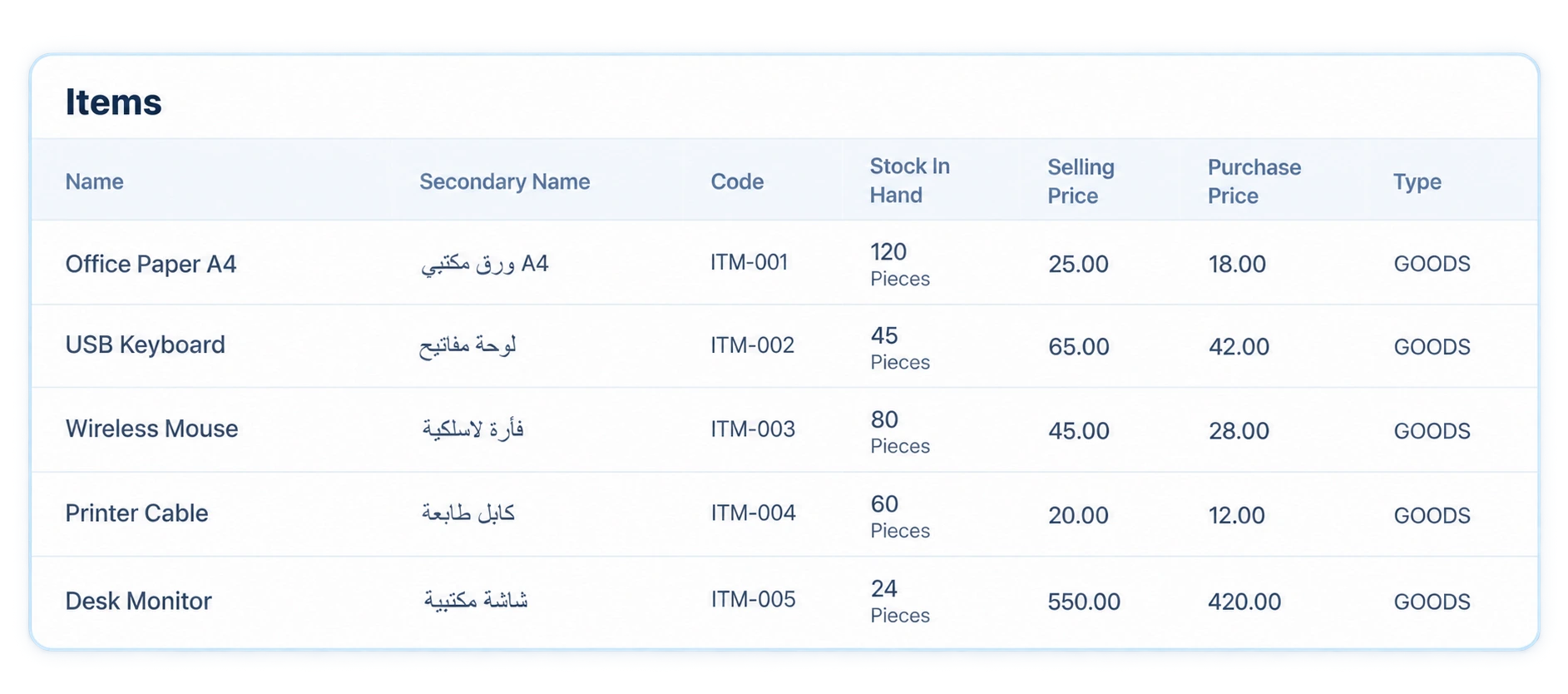
Keep primary and secondary names together, including Arabic names, with a code to distinguish each item.
See the quantity held and its measuring unit directly beside the item record.
Review both prices in the same row, alongside the item type.
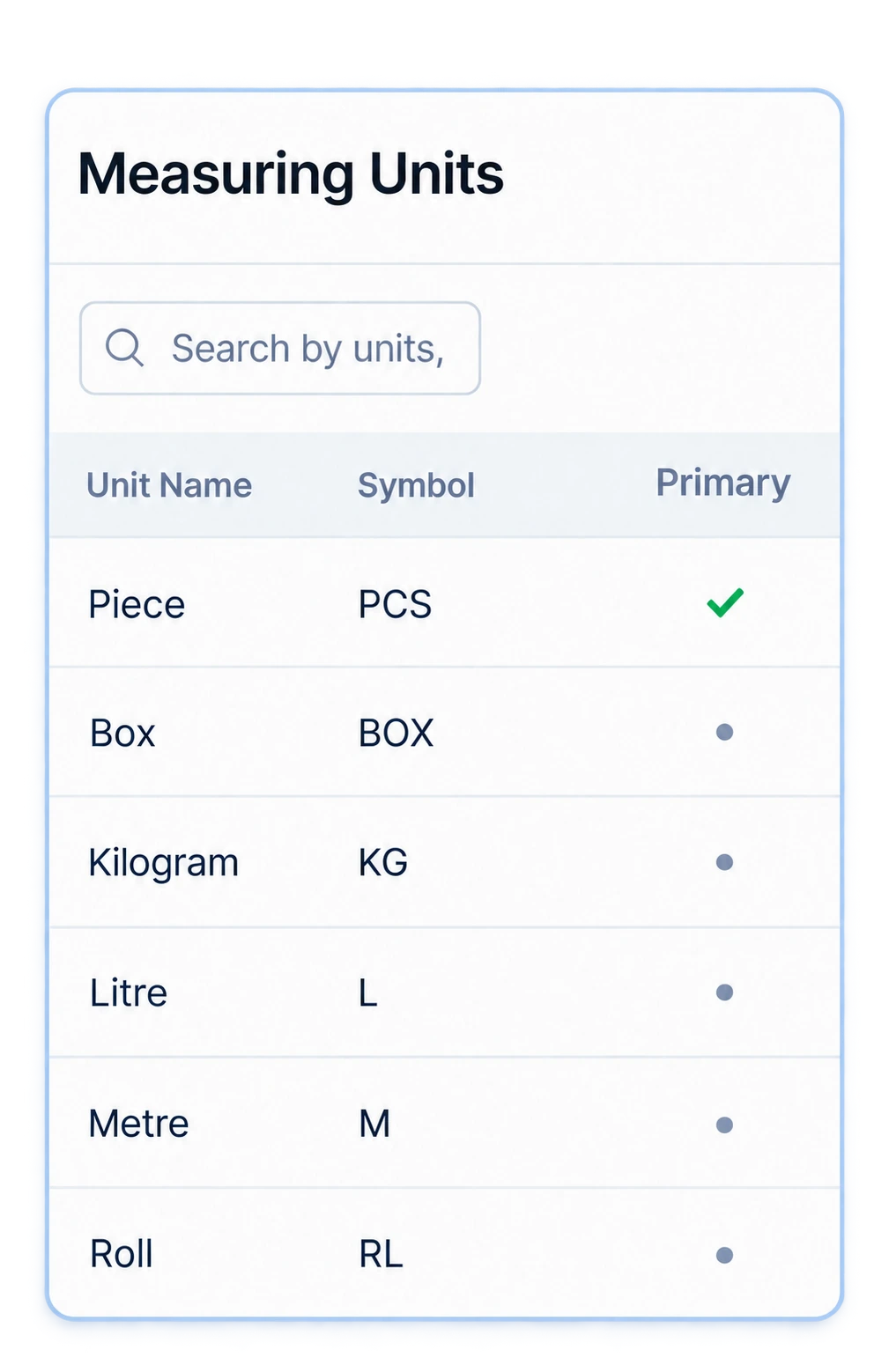
Pieces, boxes, kilograms or litres: define the units used to describe your items. Keep unit names and symbols together so quantities have a clear meaning.
Review each unit and its short symbol, such as Piece / PCS or Kilogram / KG.
Search the measuring-units list as your item catalogue grows.
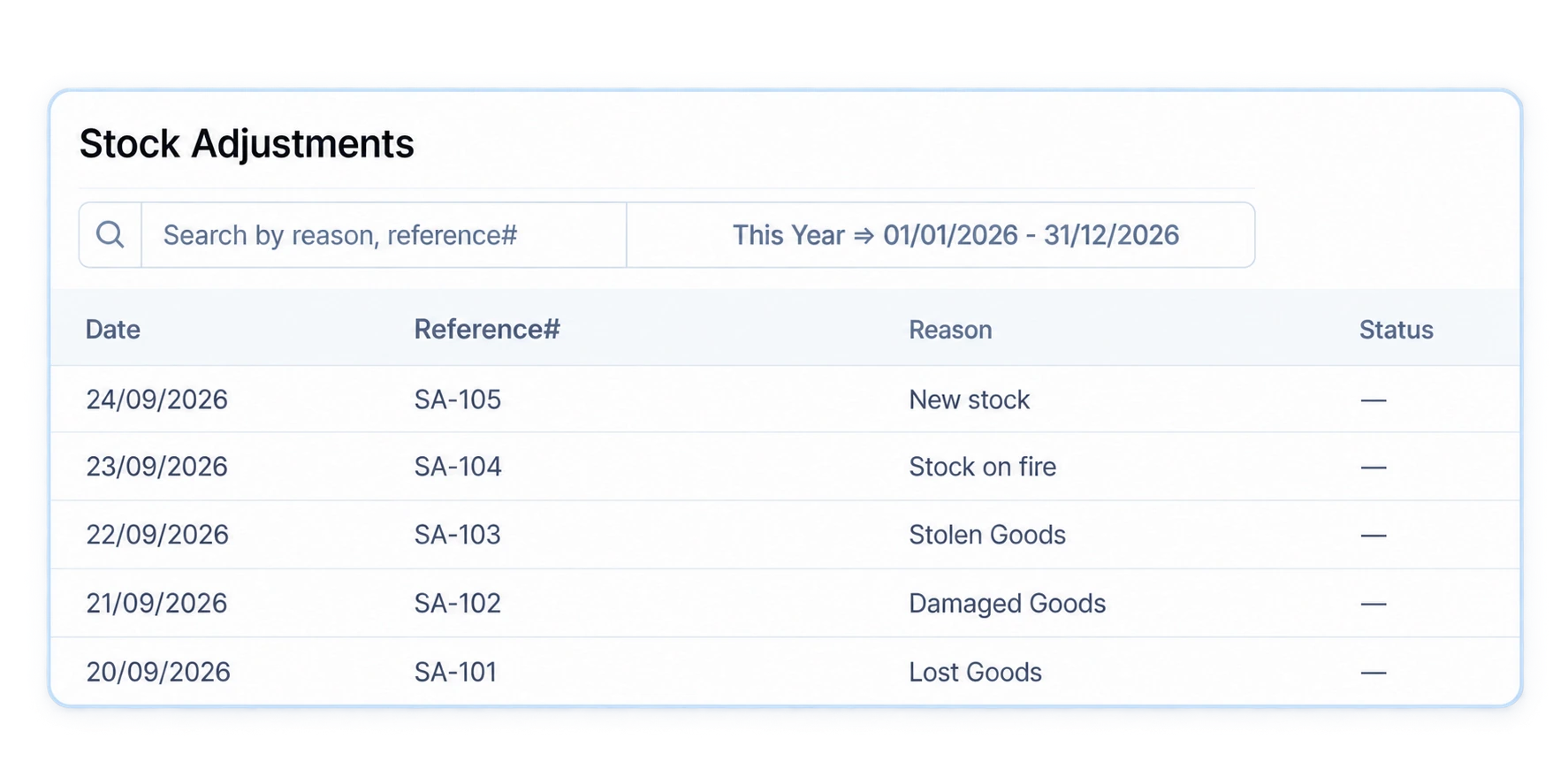
Record adjustments with a date, reference and reason. Keep additions and stock losses identifiable when reviewing changes to your inventory.
The Inventory Valuation Summary brings item names, measuring units, stock on hand and inventory asset values together for a closer look at your stock position.
Review each item’s stock on hand alongside its inventory asset value.
Use the item and stock filters to narrow the summary, then export it for further review.
Categories and tax settings sit alongside your items in the same workspace.
Organize items into categories to make your catalogue easier to navigate and maintain.
Manage tax settings from the Items menu, keeping tax setup close to your other item details.
Exact feature availability by platform is TBD.
Compare platformsEverything you need to know to manage your business smarter, all in one place.